
In times of vaccination against Covid-19, much has been said about the SUS card and the Vaccine Passport, as well as the creation and updating of various apps, such as Connect SUS and e-SaúdeSP, which aim to make it easier for patients to control their vaccinations, consultations and appointments.
For those with iPhones and other Apple devices, however, since 2020 it has been possible to attach the SUS National Health Card (CNS) to the Wallet digital wallet.
The application allows users to add tickets and make payments, for example, without the need to physically handle cards.
In addition to credit, debit and store cards, you can also add student cards and even boarding passes and movie tickets.
The same goes for the SUS card, provided by Conecte SUS. By adding it to Wallet, you can go to appointments without needing the physical card or the app installed, since the digital version has a QR Code that allows health agents to access all your information.
It’s worth noting that in order to have a digital SUS CNS, you need to download Conecte SUS and the card, and only then add it to your Wallet.
Follow the tutorial below and see how to add CNS as a ticket in Wallet on your iPhone.
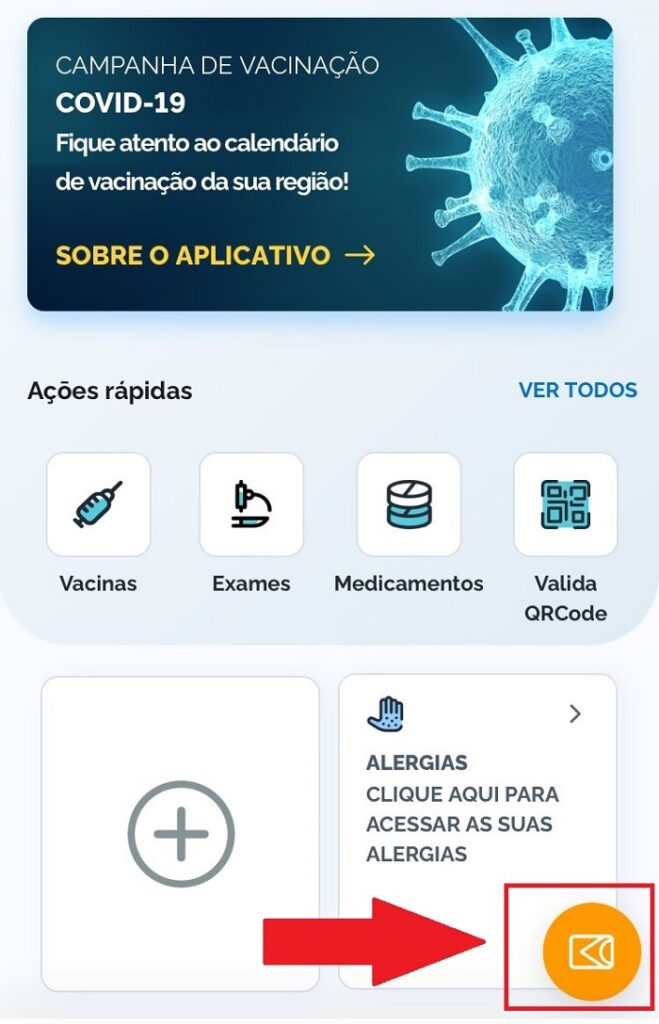
1. After downloading the Conecte SUS app and downloading your National Health Card, click on the orange icon in the corner of the screen within the SUS app;
2. Then click on the card icon at the top of the screen – next to the share symbol;
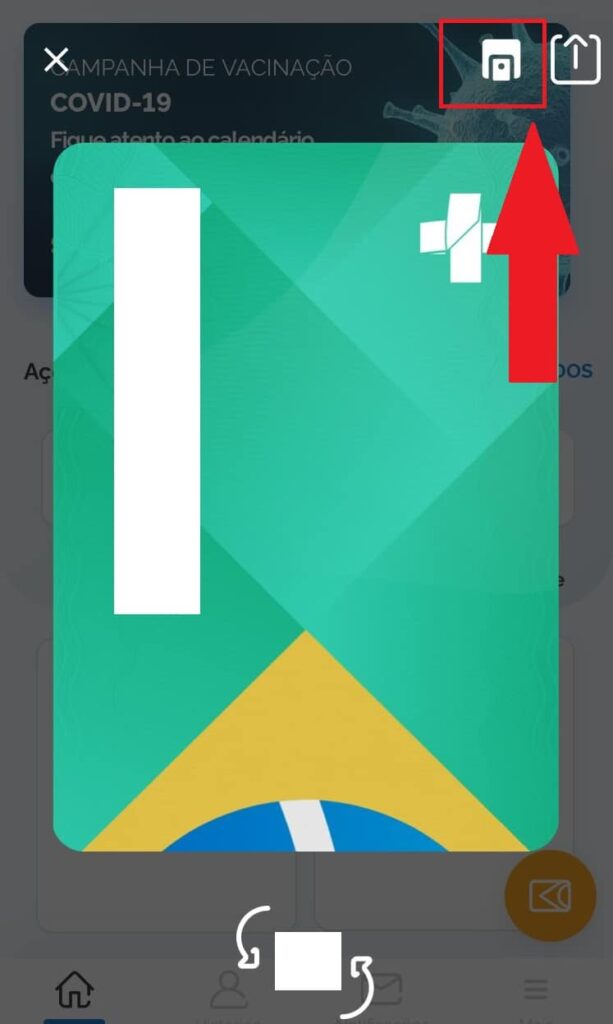
3. A digital card will be generated. Click on “Add” to insert it into the Wallet app, which will open automatically. Then just click “Ok” to finish the process;
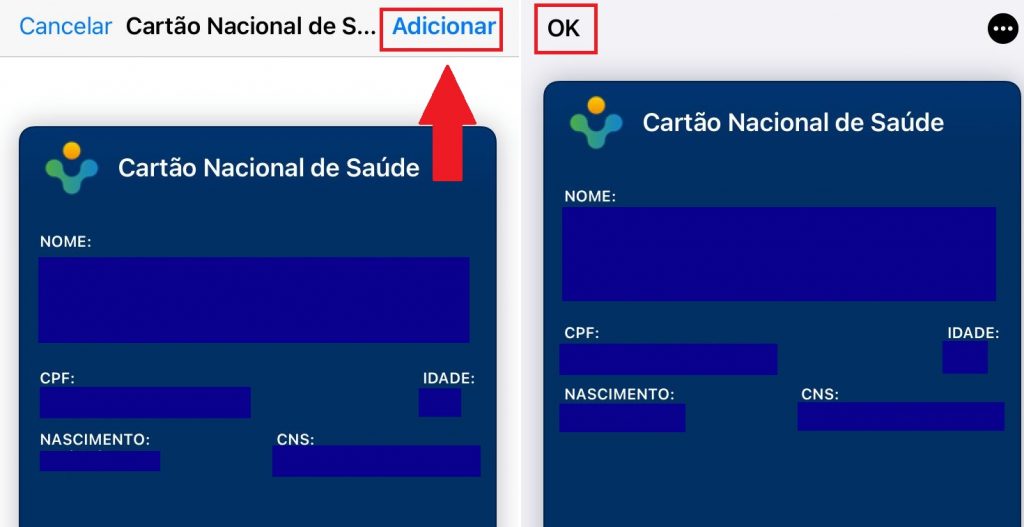
Ready to go! National SUS Card successfully added to iPhone Wallet.
It is worth explaining that Conecte SUS gives access to all procedures carried out by the Unified Health System and, later, the option to access the Digital Vaccination Card against Covid-19 was added.
Via Olhar Digital
